/APP — THE TOUR
Navigate the event.
Find your people.
Interactive venue maps, private location sharing, meeting points and messaging, built for festivals and live events. When cellular and Wi-Fi disappear, FindTribe Mesh, direct LoRa pods and nearby Bluetooth relays, keeps short messages moving. The same private map still works with family and friends the rest of the year.


The app in 35 seconds
Your festival adventure starts here.
How FindTribe saves the night
Less searching.
More night.
Three jobs. One private map. Nothing to decode when the crowd gets loud.
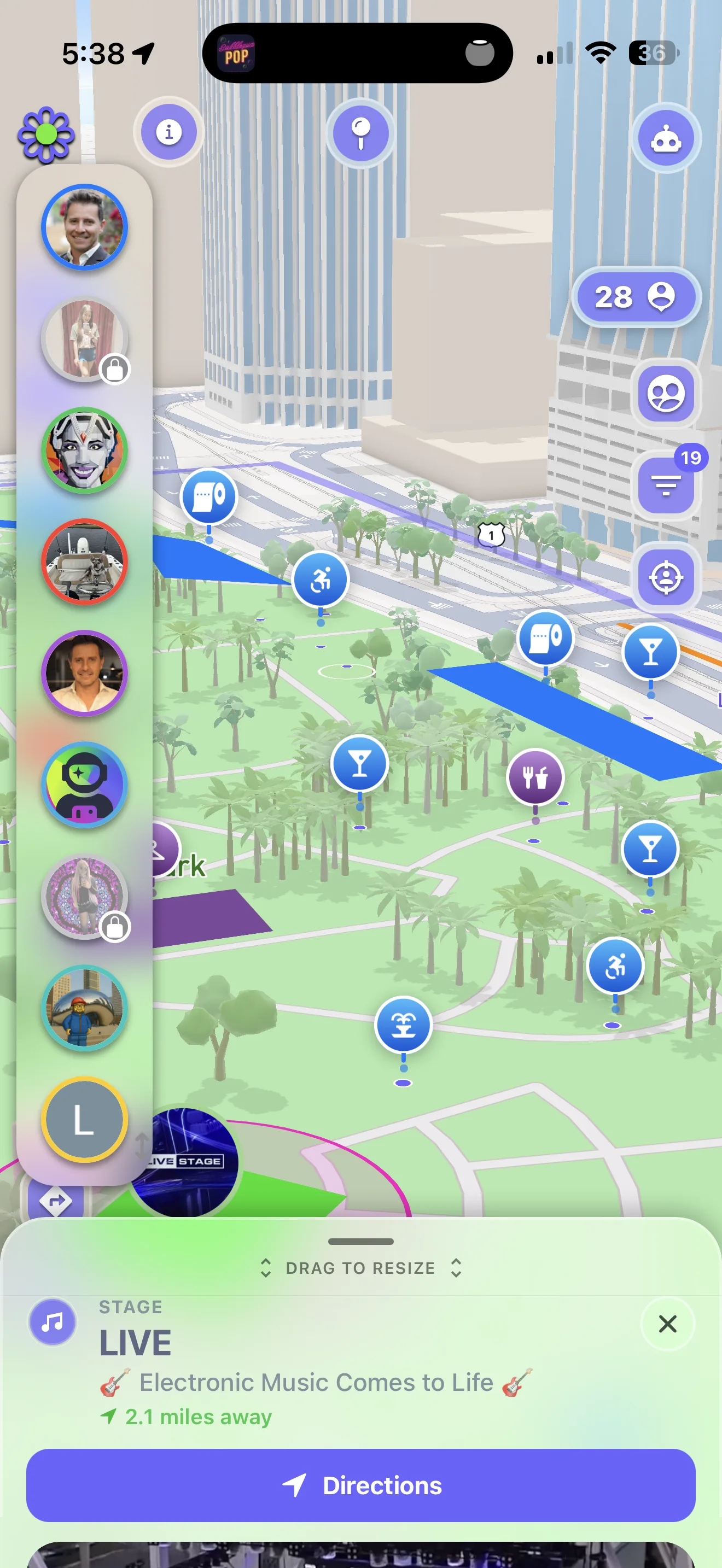
FIND YOUR CREW
See the people who matter.
Your invited friends appear on one private venue map. Tap a name for distance and direction—without sending another “where are you?” text.
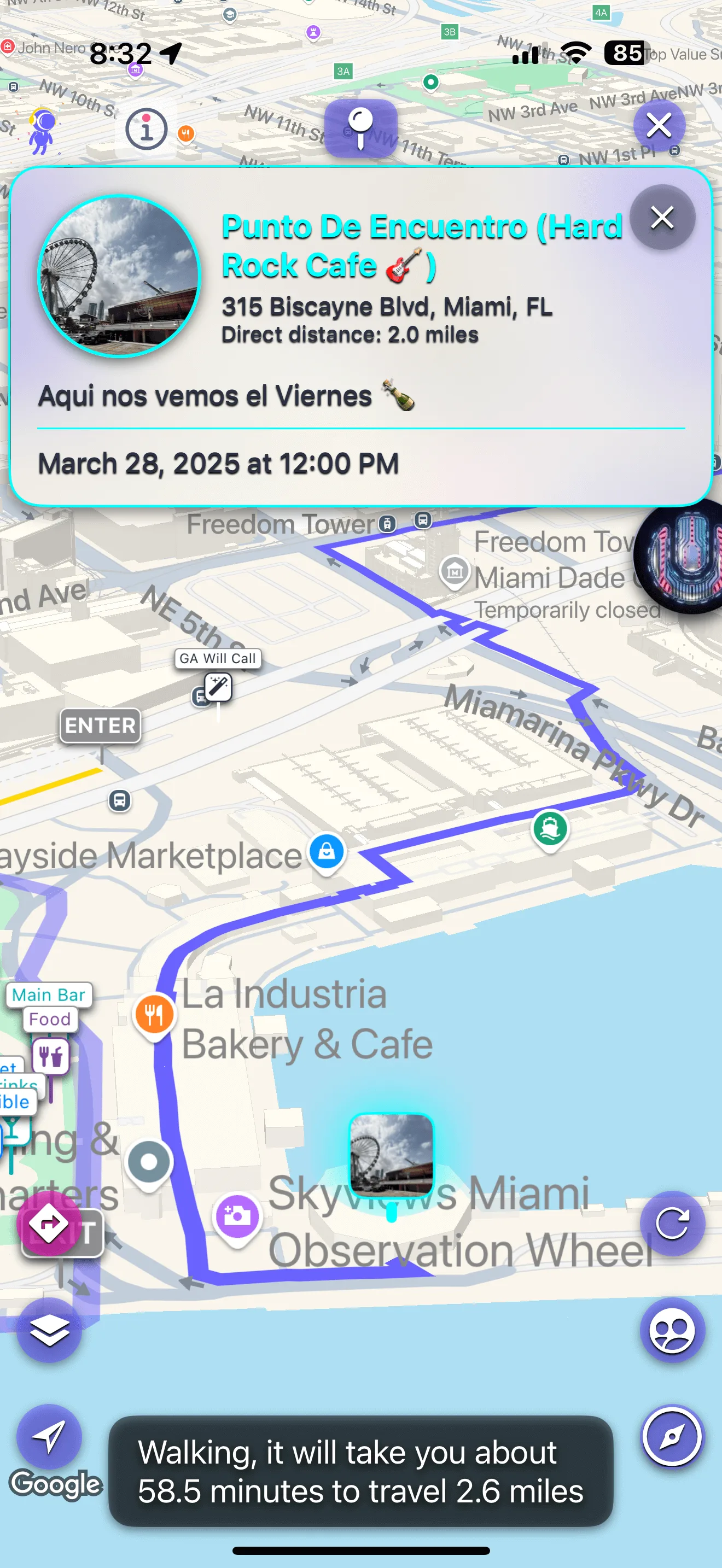
MEET IN THE MIDDLE
One pin. Everyone converges.
Drop a meet point at a stage, gate or landmark. Everyone gets the same destination, bearing and distance—even when carrier bars disappear.
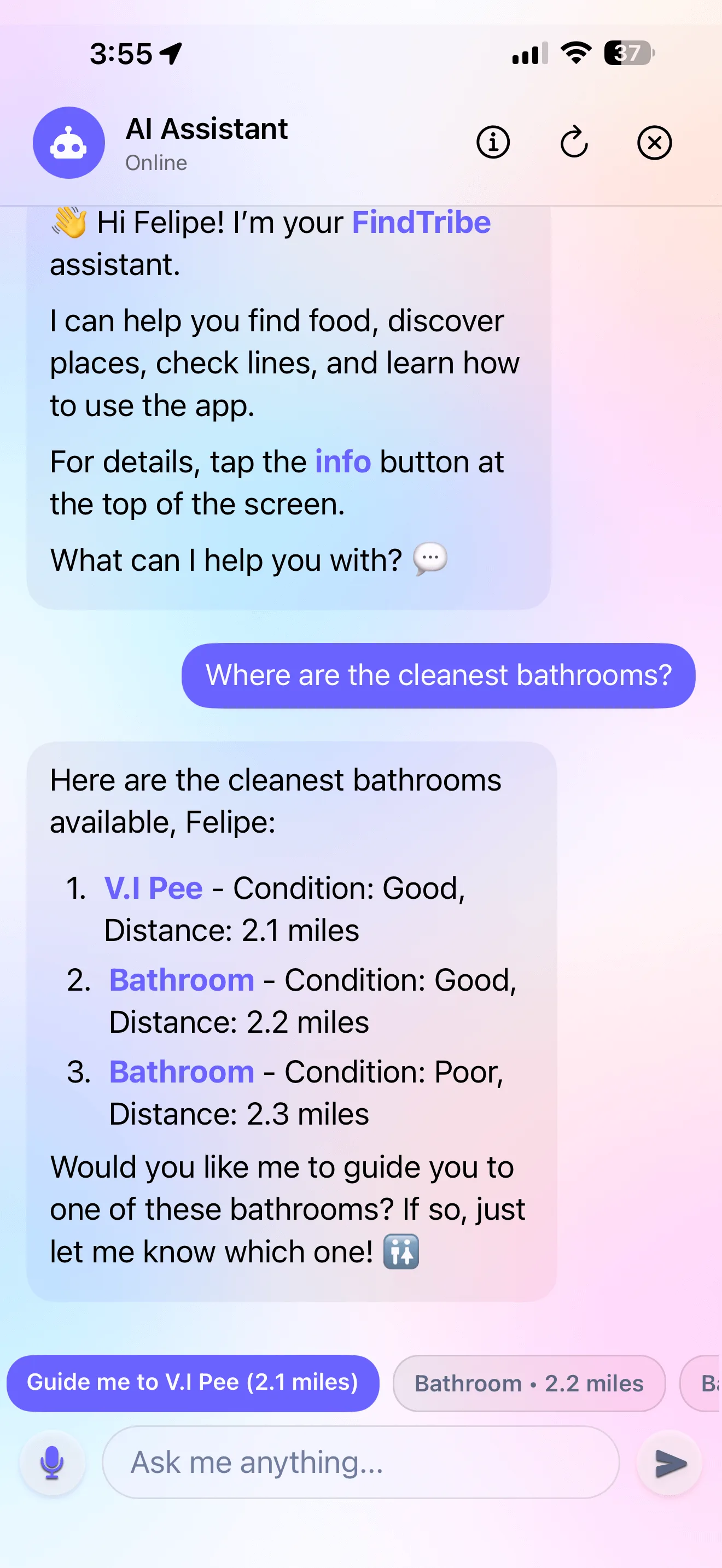
KNOW THE NIGHT
Ask instead of searching.
With an event selected and internet available, ask about set times, mapped places, vendors, ratings and reported lines. Answers appear on screen, and mapped results open walking directions.
Create the family tribe you use every day. The same private map is ready when the next crowd overwhelms the network.
Connected and offline
What works when.
What keeps working at zero bars. What needs the internet.
Phase 1 LoRa is direct pod to pod and requires compatible MeshCore hardware; there are no FindTribe repeaters yet. Bluetooth reach depends on permissions, movement, and nearby participating phones. See how both offline paths work →
 THE MOMENT FINDTRIBE WAS NEEDED
A real problem, lived first
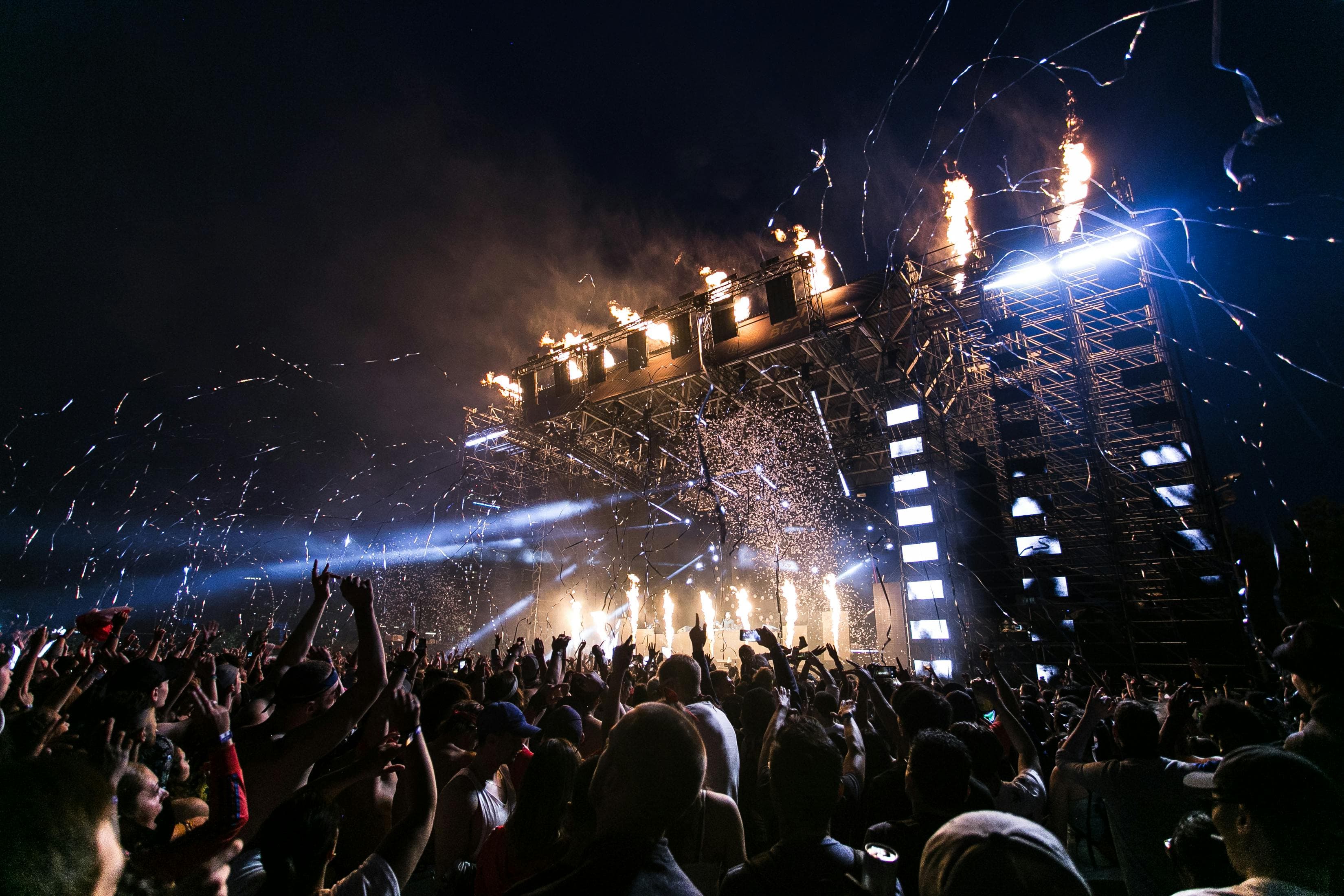
“I lost my friends at Ultra. So I built this.”
The idea started in a packed field with no reliable signal and one missing friend. It became a product tested with festival groups at Estéreo Picnic and Ultra Miami—because the only proof that matters is whether everyone finds each other.
“I won't attend another festival without this app.”— App Store reviewREAD THE ORIGIN STORY →
THE MAP
Your whole crew, live.
Everyone you invited, as living markers on a map that knows the venue: stages, gates, water, restrooms, art. Tap a friend and walk straight to them.
THE EVENT
A map with a pulse.
Tap stages, vendors and other event markers for details. When connected, ask about the map or schedule in plain language.
YOUR MAPS
Not on any map? Make yours.
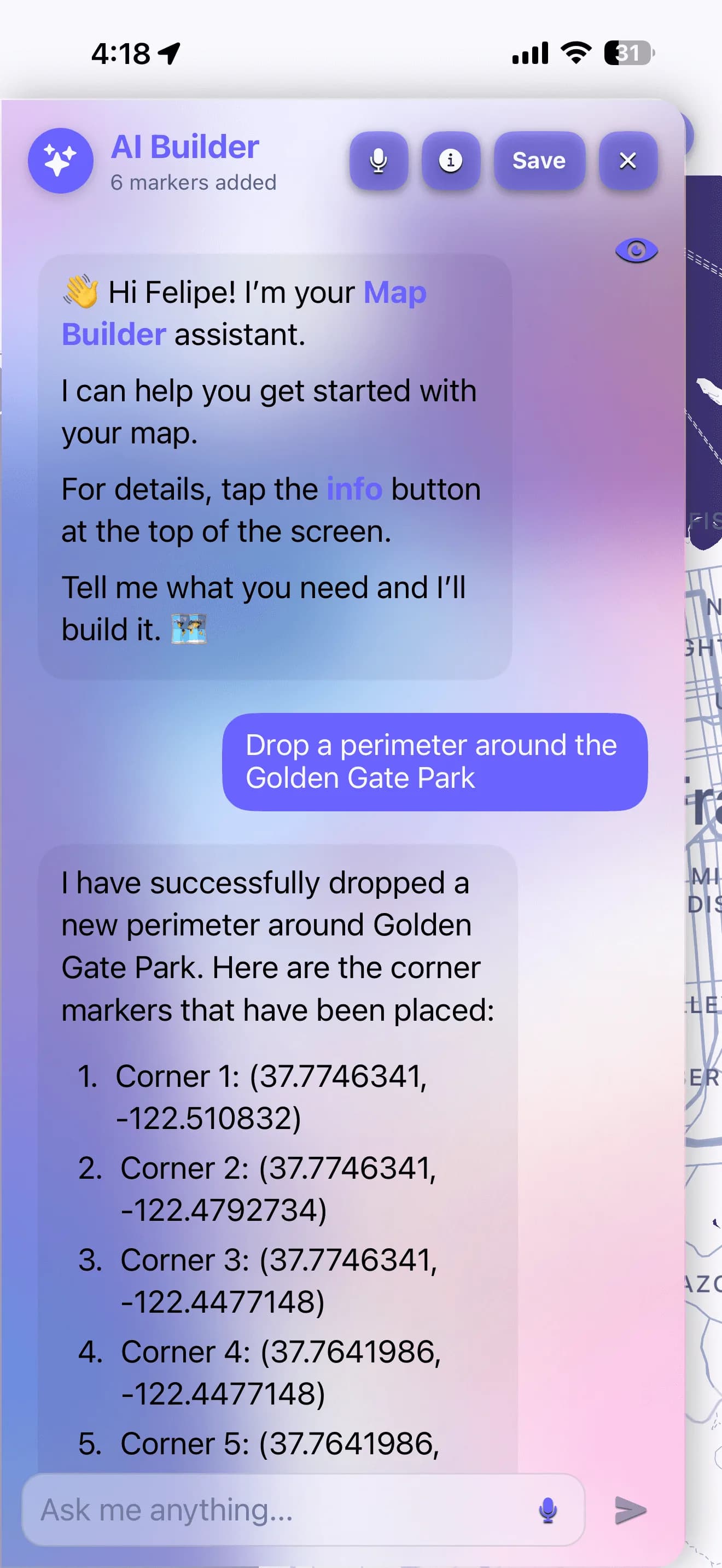
Create an Event, Landmark or Help map. Keep an event private behind your password and let guests in with a QR scan. Place markers and zones by hand, tell the AI builder where things go, or start from a photo of the map you already have.
See how the three kinds work, who can edit a map, and how Help maps are kept by the people who are there.
THE RUNNING ORDER
Your day, without unlocking.
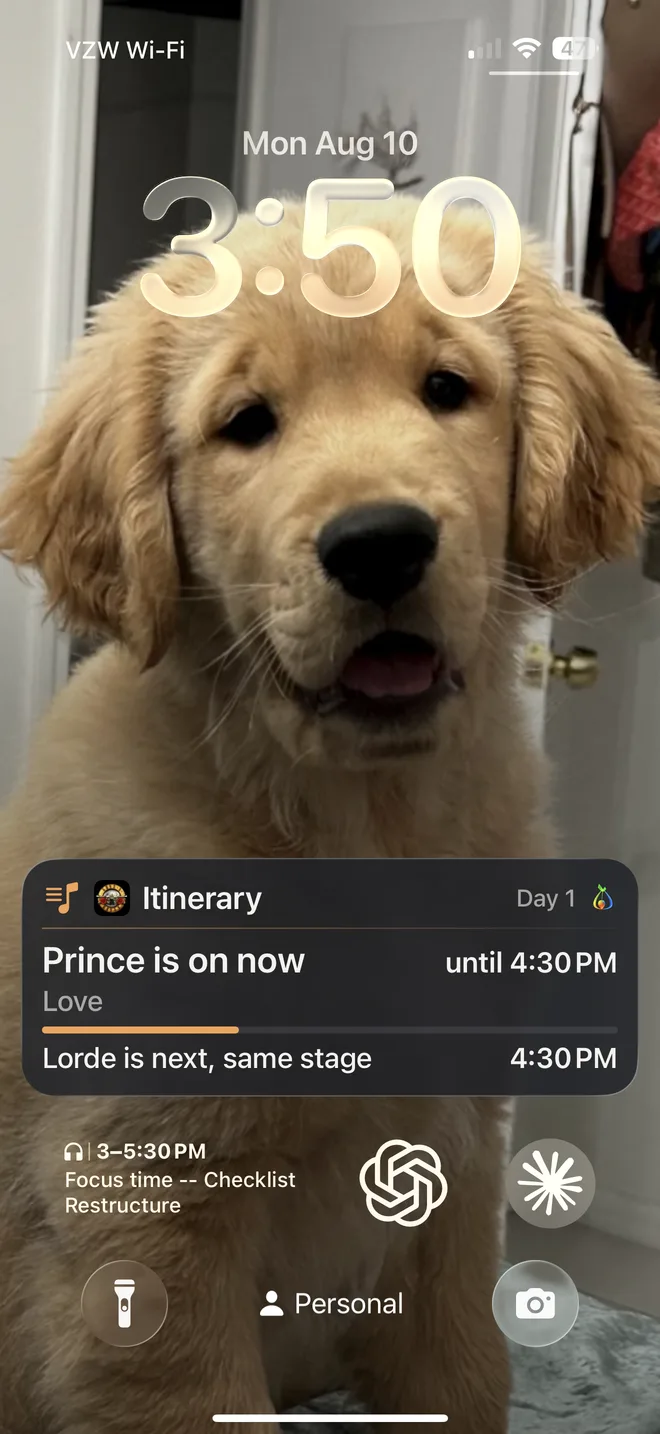
Build your day from the lineup — or let the AI plan it — and it rides your lock screen all night: who's on now and until when, who's next, and when two acts you picked collide.
On iPhone this and the night's other cards live on the Lock Screen and in the Dynamic Island. On Android the mesh and itinerary cards arrive as a live notification that stays put — the same words, minus the SOS delivery count, which is an iPhone card. The friend-finding and friend-SOS cards are iPhone-only; Android delivers those updates through its notification system.
MEET POINTS
Everyone gets a route.
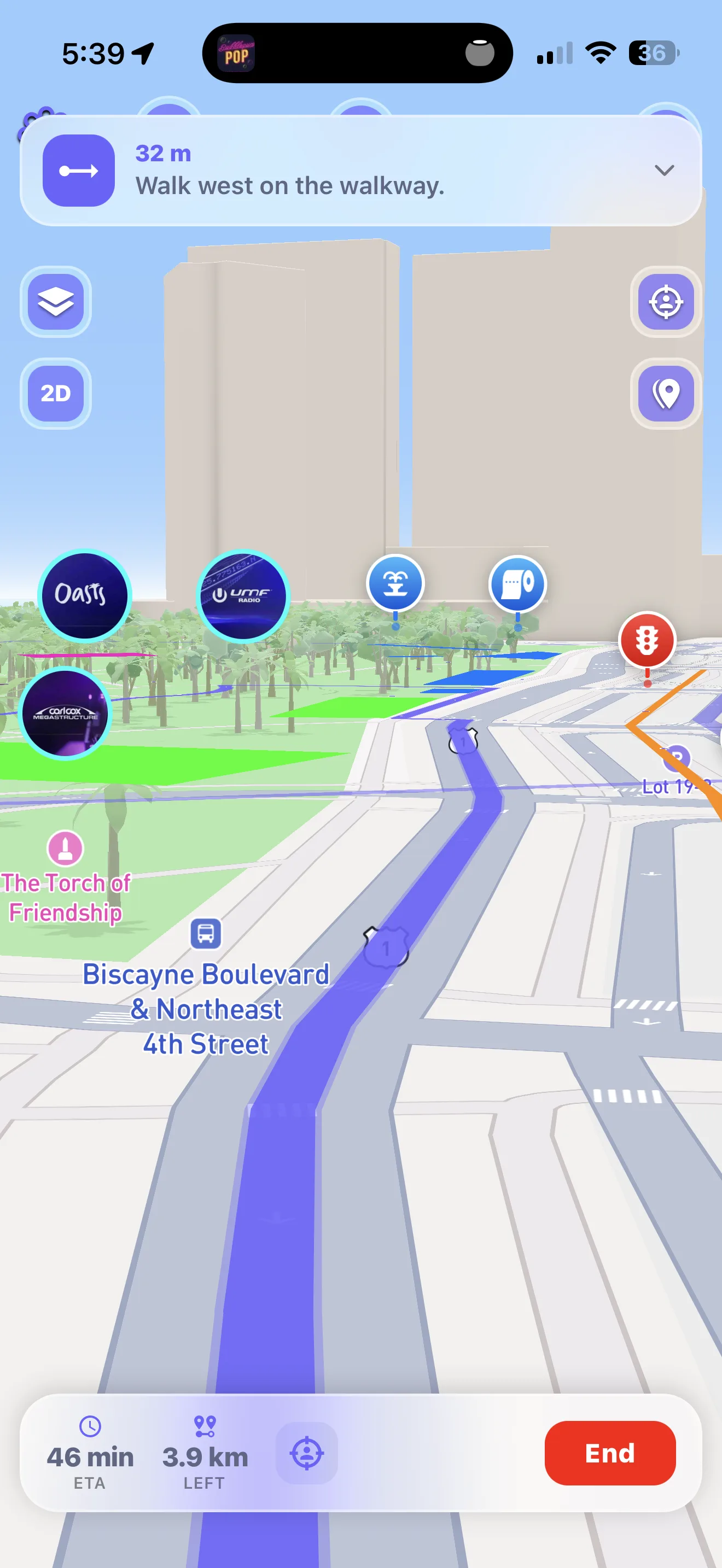
Drop a meet point and every member of your tribe gets a compass bearing, a distance and a route to it.
THE SOS
One press looks for a way through.
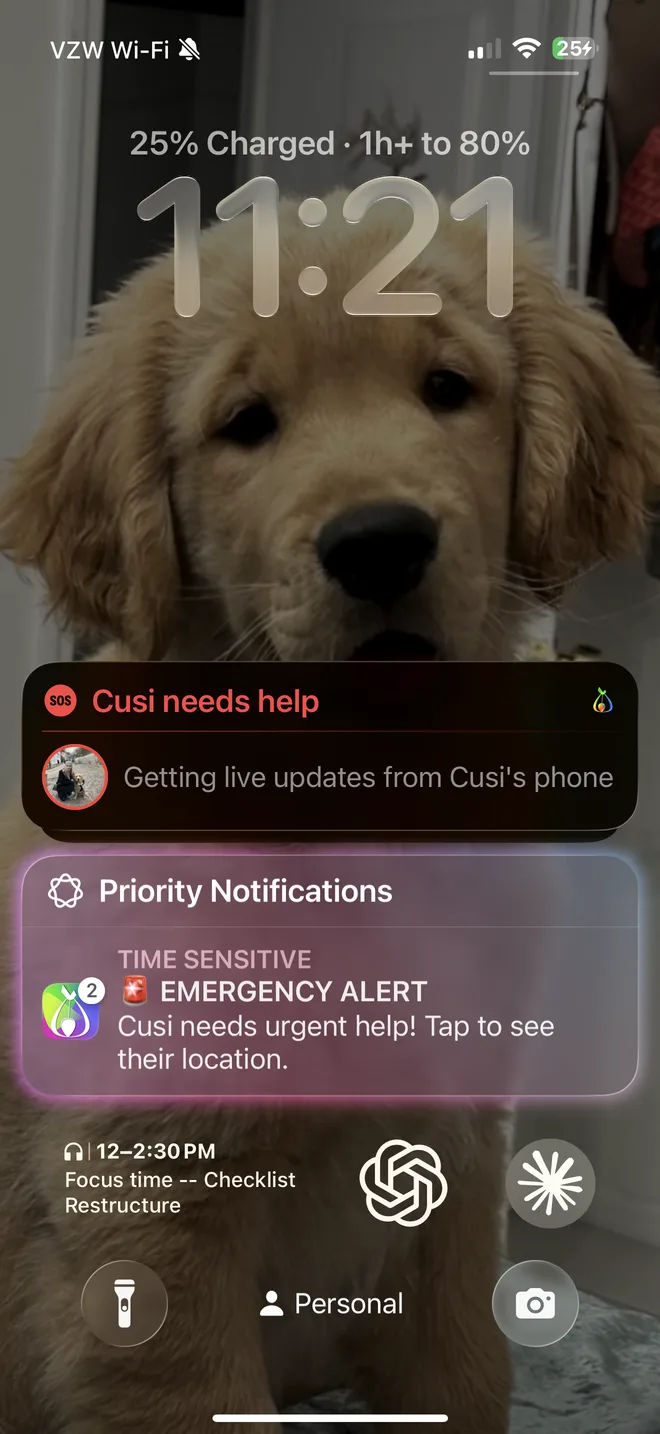
Press SOS to alert your selected friends over internet, direct LoRa, or nearby Bluetooth when those paths are available. It does not contact emergency services or satellite responders; call local emergency services whenever you can.
THE BOARDS
The whole field, talking.
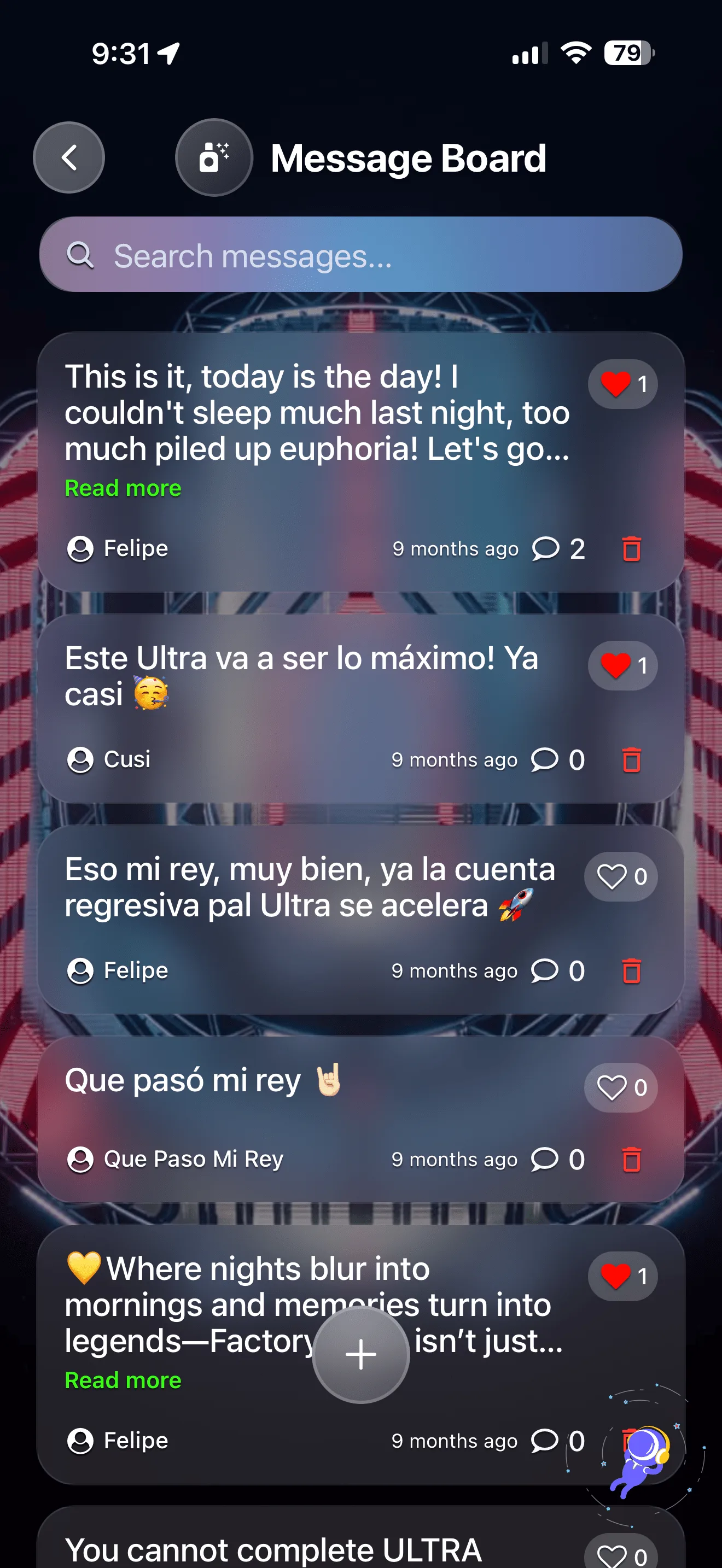
Heads up, Ask, Meet up, Lost & found and Vibes — open boards you can read as Near me or Everywhere. Posts can use internet or a reachable Bluetooth mesh. Nearby phones pass a new post along for 12 hours; the board itself keeps it for a month.
EVENT AI
Ask. Don’t scroll.
When connected, ask “Which entrance has the shortest reported line?” “When does she play?” or “What's that vendor serving?” Speak or type; the answer appears on screen.
THE MORNING AFTER
Find your car at 1AM.
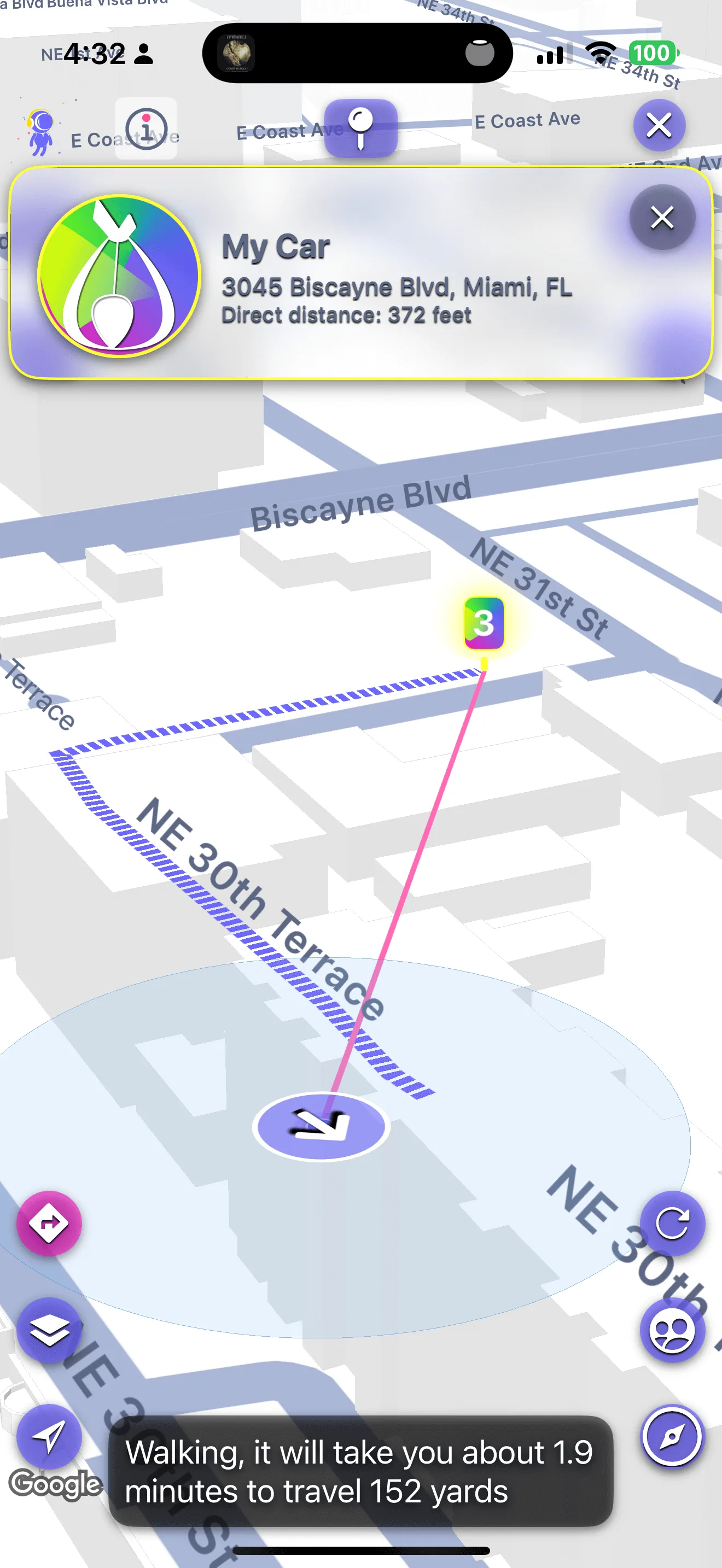
Drop a pin on the way in and tell FindTribe it's your car. When the lights come up, it routes you back across the lot you forgot existed.
Zero bars · one message
Watch your words
cross the dead zone.
The Bluetooth half of FindTribe Mesh, running live. Type anything. It's sealed before it leaves your hand, hops phone to phone through strangers who can't read a word, and where no path exists, a nearby phone carries it until there is one. Delivered only lights when the phone on the far side answers back.
READY · type a message and send it into the crowd
meet me at the ferris wheel
· READ BY NO ONE ELSEThe rest of the kit
The other
seven hours.
Everything above is built for the worst minute of the night. This is the kit for all the other hours — one night with FindTribe, in order, from the Tuesday before to the morning after.
Tue 9:12 PMThe week before
Plan it togetherNobody plans alone.
Send your lineup to a friend and build the same day together — pick artists, coordinate schedules, stay in sync.
Plan it together with Maya
7:52 PMThe gates
TribesYour crew, in two steps.
Pick the friends, name the tribe — done. Group chat, shared photos, and a live map only your tribe can see. Your spot goes to tonight’s crew and nobody else.
Pick friends → Name it → Create
9:41 PM
Who’s lookingA name, not a dot.
When a friend starts searching for you, your lock screen says who — and since when. A person who wants to find you, never a feed that follows you.
Maya is looking for you · Since 9:41 PM
11:47 PM
Share a linkLive, then gone.
Send your live spot to anyone — it opens in their browser, no app on their end — and it expires right when you said it would. Nobody stays on a map longer than they chose to.
The share window closed.
9:26 AMThe morning
Shared mediaProof it happened.
Photos and chats shared with your tribe stay in FindTribe. The morning after, the whole night is still there —
with the people who were standing next to you.
YOUR FAMILY · YOUR FRIENDS · ONE PRIVATE MAP
Create your tribe today.
Be ready for every day after.